
Before You Lock the House for Vacation: A Winchester Homeowner's Tech Checklist
Skits here. Summer's finally rolled in, you've earned the week off, and the suitcase is half-packed. Before you turn the key in the lock — ten minutes. That's all I need. Walk through this list with me and the house behind you will be a lot quieter while you're gone.
1. Who has the WiFi password?
If a neighbor's stopping by to water the African violets, or your sister-in-law is coming up to feed the cat, give them the GUEST network — not your main one. Most routers made in the last five years have a guest network built in. It's usually a checkbox in the router settings. Your guest can scroll their phone all day, but they can't accidentally see (or share) your printer, your smart-TV login, or your camera feed.
If you don't know how to turn the guest network on, that's a five-minute thing — 540.303.2410 and we'll talk you through it. Or text us a photo of the back of the router and we'll tell you which model it is.
2. Don't put the vacation on Facebook until you're home
I know. The sunset photo over Virginia Beach is gorgeous and your friends will love it. Post it Tuesday when you're back. The vacation still happened.
"We're at the beach!" is the single most common porch-pirate cue there is. Your 400 Facebook friends include people who used to live in your neighborhood, friends of friends, and at least a couple of accounts you accepted years ago and never actually met. The trip will keep until you're home.
3. Set up an out-of-office on your personal email (yes, really)
I know, OOO replies sound like a work thing. But if you're expecting a delivery, a prescription refill, or a doctor's-office confirmation while you're gone — a quiet auto-reply helps. Keep it boring:
"Thanks for your message. I'm away from email this week and will respond when I return."
That's it. No dates. No "we're in the Outer Banks." No "with the grandkids." The new Out-of-Office Done Right microcourse went live this month and walks you through Outlook, Gmail, and Apple Mail in about 10 minutes. (And yes, it covers the iPhone sync gotcha that trips folks up.)
4. Know where your router and modem are (and how to restart them)
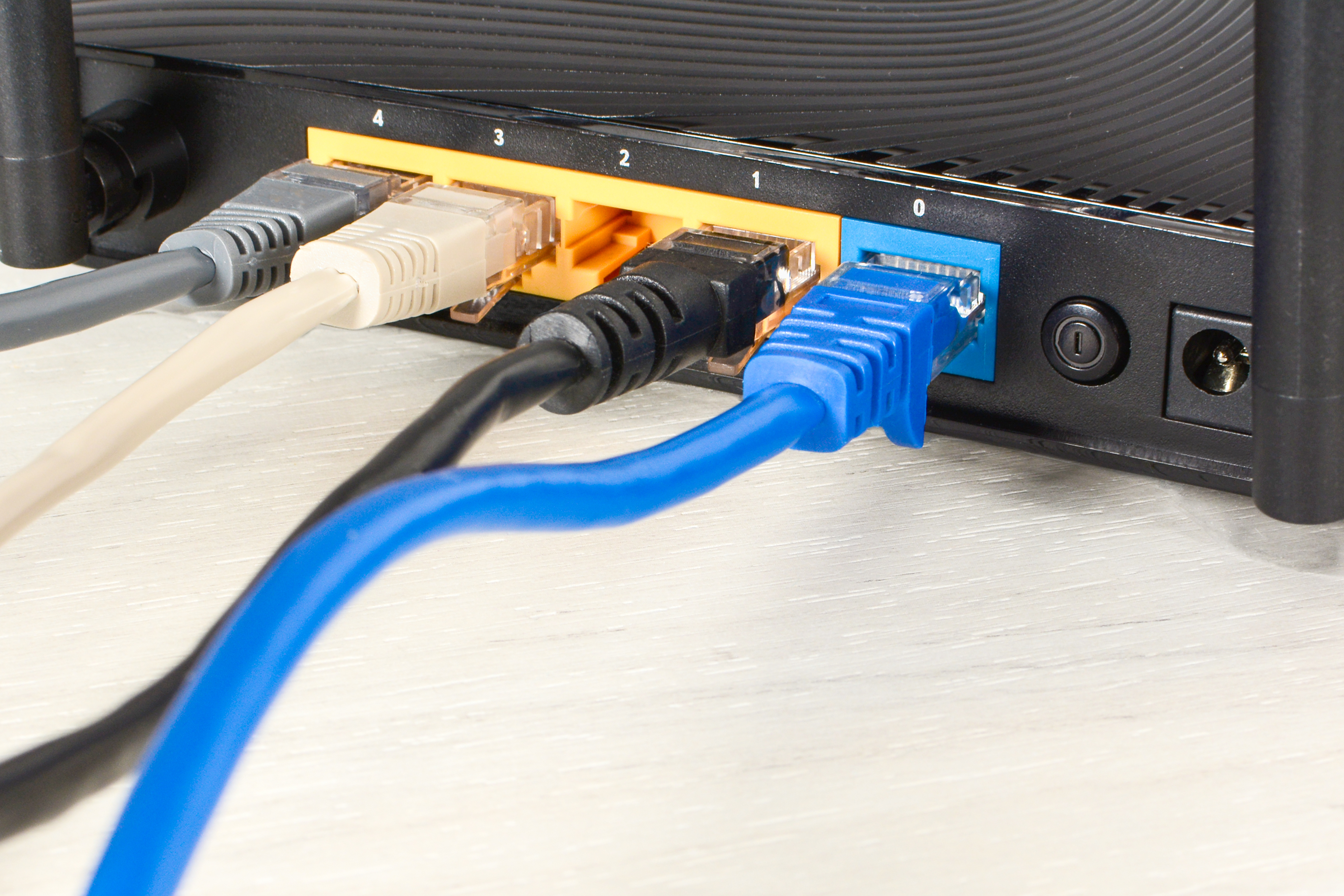
If a summer storm knocks the power out while you're at the beach, the modem and router are the two boxes that may need a manual restart when you get home. Unplug, count to 30, plug the modem back in first, wait until its lights settle, then plug the router back in.
Take a photo of the back of both boxes TODAY. Save it in your phone. Label which cable goes where. Your future self — standing in the dark on a Saturday night — will thank you. (Our Slow Internet microcourse walks through which box is which if you've never sorted it out.)
5. Unplug what you can unplug
Summer storms come fast in Frederick County. If you're leaving for a week and storms are in the forecast, pull the plug on what you don't need running. Even a good surge protector can take a direct lightning hit and still let damage through. Unplugged equipment is unhittable.
What stays plugged in: the fridge, the freezer, the security system if you have one, and the camera you're keeping an eye on the front porch with. What can come unplugged: the computer, the printer, the TV, the gaming console the grandkids use.
6. Who power-cycles the camera if it goes offline?
If your Ring or Nest goes dark while you're away, who can walk over and unplug it? If the answer is "only me, from Florida," that's worth fixing before you leave. Even just a neighbor with the key knowing where the plug is can save you a worried week of staring at the offline icon.
7. Bring the password manager — don't try to remember
If you've ever stood in a hotel lobby trying to remember the password to confirm a reservation, you know. A password manager on your phone solves this. We walk through how to set one up gently in Password Security 101.
The one rule both kinds of vacationers share
Test it before you leave. Not from the airport. Not from your phone. Not at 11pm the night before. Walk through this list at your own kitchen table, with a glass of iced tea, the Friday before the Friday you go. Whatever doesn't work, you've got a week to fix.
If you want help
Jerry does this with home clients all the time — especially folks getting ready for a longer trip. If you'd rather have a second set of eyes on the setup before you turn the key, give him a ring at 540.303.2410. He'll walk you through it.
— Skits
Need a second set of eyes on any of this? Give Jerry a call at 540.303.2410. We do this with Winchester-area clients all summer.
The one item on this list worth doing before you leave rather than after is the backup. Backup services means it runs whether you remembered or not.