
Clear the Clutter: Take Back the Inbox This July
Happy July, Winchester.
Go ahead — look at your unread email count. Whatever the number is, you're not behind and you haven't done anything wrong. Email just piles up. That's what it does.
So this month, Skits is helping you take it back — one Sunday at a time. We'll clear out the clutter without losing a thing, set up rules that file your mail for you, learn the 30-second check that spots a fake email, and finish by finding any message in seconds. It's the first stop in our Q3 series on getting your whole digital life organized: this month, the inbox.
Four Sundays, four fixes

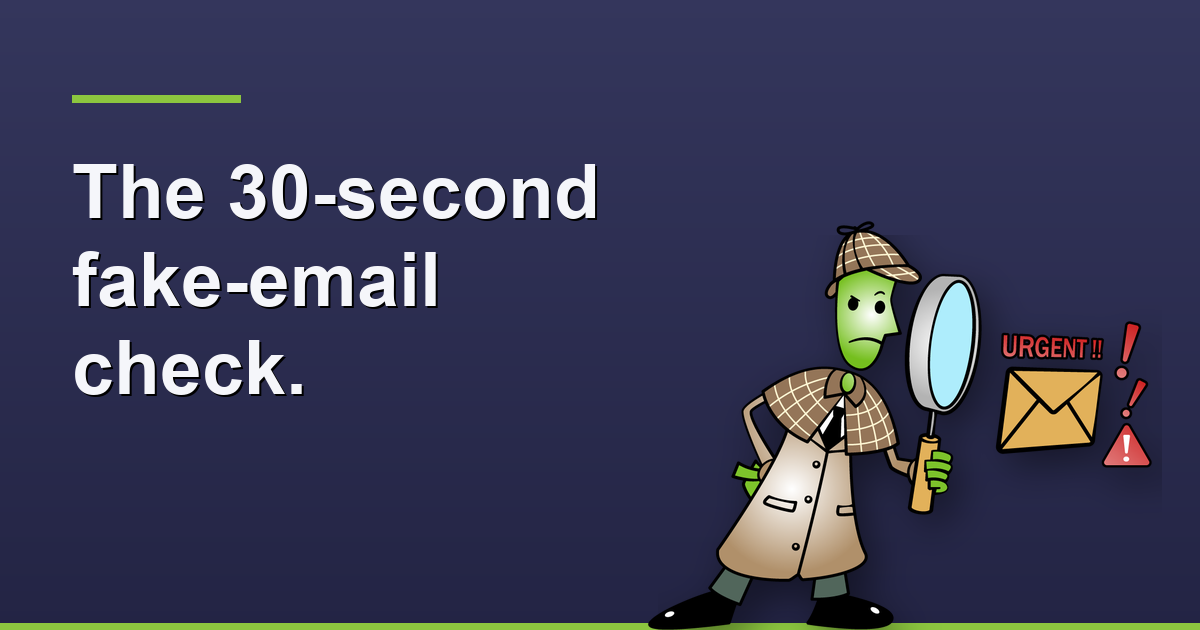

Fresh post every Sunday all month.
From Jerry
Hi — quick note from me before Skits takes over.
If I could give everyone one email habit, it'd be this: before you click a link or open an attachment in any email, take 30 seconds. Look at the actual sender address — not the name it shows, the real address behind it. Hover over the link and see where it ACTUALLY goes. And ask yourself, “was I expecting this?” That one pause stops most of the email scams I get called about, and it costs you nothing.
One more thing, mostly for the folks shopping summer deals. Those super-cheap streaming boxes from sellers you've never heard of — “$29, watch everything!” — some have shown up with junk built right in, quietly using your home internet in the background while you watch your show. Stick with the names you know: Roku, Amazon Fire, Apple TV, your smart TV's own apps. A few dollars more for a brand with a reputation is money well spent.
Have a good July. Enjoy the fireworks.
— Jerry
Archive is not Delete. The Archive button moves an email OUT of your inbox but KEEPS it — still there, still searchable, forever. Delete sends it to the trash and it's gone in about 30 days.
QUICK WIN: Don't clean email by email — search one sender's name, select the whole batch, and archive it all in one click. A thousand emails gone in two seconds. 540.303.2410 if you'd like a hand.
Email Scam Alert
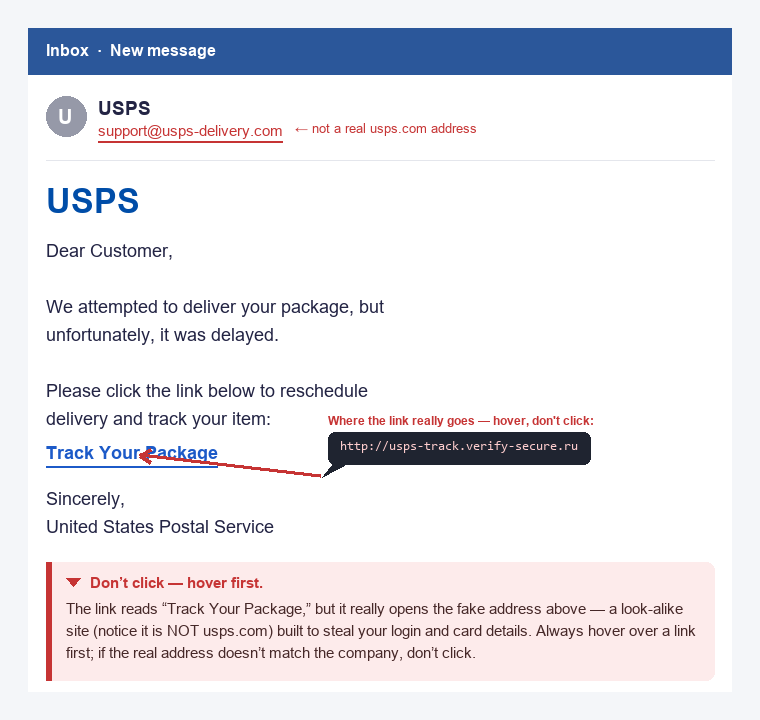
A real example — the giveaways are the sender address and the link.
The fake “your package couldn't be delivered.” Summer means everyone's ordering online, and scammers know it. The tells: a countdown threat (real carriers don't do that), a gibberish sender address if you actually look, and a link that doesn't go to the real ups.com / usps.com / fedex.com.
The fix: never click the email. Open a new tab, go to the carrier's real website yourself, and type your tracking number. Same answer, zero risk. Forward this to the online-shopper in your life.
From Skits' Classroom

This month's three picks:
1. Stay Safe Online (Email Scams) — real fake-emails side-by-side with the real thing. ~10 min.
/microcourses/stay-safe-online/
2. Safe Surfing for Seniors — plain, patient browsing and email basics.
/microcourses/safe-surfing-for-seniors/
3. Password Security 101 — a strong, unique password plus two-factor keeps one slip from becoming a disaster.
/microcourses/password-security-101/
Service Spotlight — Senior Home Visits
Some things are just easier in person, at your own kitchen table, on your own computer. Jerry comes to you — patient, no rushing, no talking down — and works through whatever's been bugging you: cleaning out an inbox that got away from you, setting up folders, the “is this email real?” gut-check with your actual messages, or getting your computer and phone showing the same email the same way.
We'd rather teach you to do it than just do it for you — but we're happy to just do it, too. 540.303.2410. We serve Winchester, Frederick County, and the Shenandoah Valley.
What's Happening in Winchester
Sat Jul 4 — VA250 Old Town Jubilee. America's 250th, celebrated free and family-friendly in the heart of Old Town. A big one this year.
Thursdays — Sunset Series free concerts (Old Town). Live music as the sun goes down, all month. Bring a chair and somebody you like.
Two ways to get help
Chat with Skits — his office is open 24/7 for quick questions and “is this a scam?” gut checks. No login.
sharedknowledgets.com/tech-help-with-skits/
Call Jerry — for anything Skits can't handle, or that you'd rather talk through with a human. 540.303.2410
Winchester, VA · serving Frederick County & the Shenandoah Valley
540.303.2410 · jerry@sharedknowledgets.com · sharedknowledgets.com
Facebook · LinkedIn · Google Business Profile